
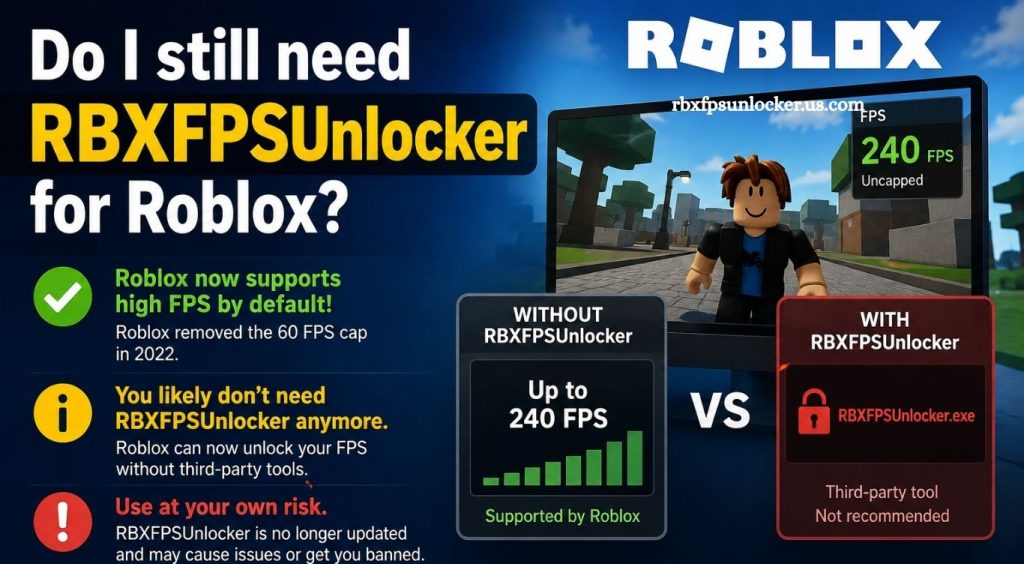
Roblox has changed significantly over the years, with improvements to graphics, performance, display options, and compatibility across different devices. Players who once relied on third-party utilities such as RBXFPSUnlocker may now wonder whether those tools still have a meaningful role in modern Roblox gaming.
RBXFPSUnlocker became popular among PC players looking for higher frame rates and smoother gameplay. As Roblox introduced new updates and performance improvements, the need for external FPS tools became less clear. Understanding how Roblox handles frame rates today can help players decide whether RBXFPSUnlocker remains useful for their setup.
What Is RBXFPSUnlocker?
RBXFPSUnlocker is a third-party utility designed to remove or increase Roblox’s traditional frame-rate limitation. The tool became especially popular among PC players with high-refresh-rate monitors because Roblox historically limited frame rates below what many modern displays could handle.
Read More: Does RBXFPSUnlocker reduce lag in Roblox?
Higher FPS can make camera movement, animations, and mouse input feel smoother. The actual improvement depends on hardware, monitor refresh rate, game optimization, and network conditions.
Does Roblox Still Need RBXFPSUnlocker?
For many players, RBXFPSUnlocker is no longer essential.
Roblox has improved its native frame-rate support over time, reducing the need for external FPS unlockers. Players using modern Roblox versions may already have access to higher frame rates through the platform’s own settings or supported options.
This means installing RBXFPSUnlocker solely to increase FPS may provide little benefit for some users. A player with a 60 Hz monitor, for example, gains limited visual value from extremely high frame rates because the display cannot show every additional frame.
Roblox’s Native FPS Options
Modern Roblox provides built-in graphics and performance controls that allow players to adjust their experience without depending entirely on third-party software.
The most important settings include graphics quality and performance-related options available through Roblox’s interface. Lowering graphics quality can reduce GPU and CPU workload, potentially improving frame stability on weaker computers.
Players with powerful gaming PCs can generally focus on maintaining consistent frame rates rather than relying on an external unlocker.
When RBXFPSUnlocker Can Still Be Useful
RBXFPSUnlocker may still appeal to certain PC players, particularly those using high-refresh-rate displays and older Roblox configurations.
A 120 Hz, 144 Hz, 165 Hz, or higher-refresh-rate monitor can display substantially more frames than a standard 60 Hz display. If Roblox’s native configuration does not provide the desired frame-rate behavior on a particular setup, an FPS unlocker may appear useful.
However, the benefit depends heavily on the current Roblox client, hardware configuration, and whether the game itself can produce enough frames.
Is Higher FPS Always Better?
Higher FPS does not automatically mean better Roblox performance.
Frame rate should be considered alongside frame-time consistency, input responsiveness, graphics settings, CPU performance, GPU capability, and monitor refresh rate. A system producing unstable FPS can feel less smooth than a system maintaining a lower but consistent frame rate.
For example, a stable 120 FPS experience can feel excellent on a 120 Hz display. Increasing the frame rate far beyond the monitor’s refresh rate may provide diminishing visual benefits while increasing hardware workload.
Can RBXFPSUnlocker Improve Roblox Performance?
An FPS unlocker does not make a computer more powerful. It primarily changes the frame-rate limitation imposed by the game client.
If a PC already struggles to reach 60 FPS, removing an FPS cap will not magically increase performance. Improving graphics settings, closing unnecessary background applications, updating drivers, and ensuring adequate cooling can have a much greater effect.
Players should therefore treat an FPS unlocker as a configuration utility rather than a performance booster.
Is RBXFPSUnlocker Safe?
Safety depends on the source and version of the software.
Third-party utilities can introduce security risks when downloaded from unofficial websites, modified repositories, file-sharing platforms, or suspicious download pages. Users should avoid unknown executables and verify software before running it.
Roblox players should also consider the platform’s current rules regarding third-party software. A tool that worked previously may not necessarily remain compatible after client updates.
Should You Use RBXFPSUnlocker in 2026?
For most Roblox players, starting with Roblox’s built-in settings is the better approach.
Players should first check their current frame rate, monitor refresh rate, hardware capability, and in-game graphics settings. If Roblox already provides the desired frame-rate experience, an external unlocker offers little reason to remain installed.
Advanced PC users with high-refresh-rate monitors may still experiment with FPS-related utilities, but compatibility and security should remain priorities.
How to Get Better Roblox FPS Without an Unlocker
Optimizing Roblox does not always require additional software. Players can begin by adjusting graphics quality and reducing unnecessary visual effects.
Windows performance can also improve when unnecessary background applications are closed. Keeping graphics drivers updated and maintaining sufficient free storage can support overall system responsiveness.
Laptop users should also consider using an appropriate power mode when gaming. Thermal throttling can reduce performance when a device becomes excessively hot, making cooling and ventilation important factors.
RBXFPSUnlocker vs Native Roblox Settings
Native Roblox settings offer the simplest approach because they are integrated directly into the gaming experience. They generally require fewer compatibility considerations and do not introduce another third-party program.
RBXFPSUnlocker can provide additional control in situations where native options do not meet a player’s requirements. However, that extra control comes with potential compatibility and security considerations.
For casual players, native settings are usually enough. For enthusiasts using high-refresh-rate displays, the decision depends on the specific PC configuration and current Roblox client behavior.
Conclusion
RBXFPSUnlocker is no longer essential for most Roblox players because modern Roblox versions provide better native FPS support and performance options. Players should first optimize Roblox settings, Windows performance, and graphics quality before using third-party tools. High-refresh-rate users may still find an FPS unlocker useful, but compatibility and software safety should remain important considerations.
Pingback: Why is my Roblox FPS still low after using RBXFPSUnlocker? - rbxfpsunlocker