
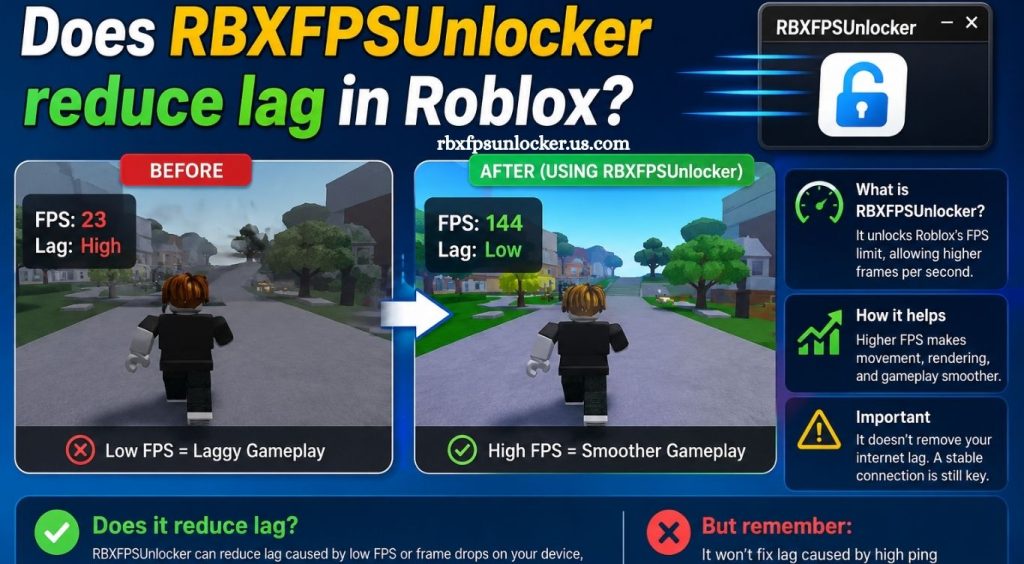
Roblox performance depends on several factors, including hardware capability, graphics settings, network quality, background applications, and the way each experience is optimized. Players looking for smoother gameplay often explore tools designed to improve frame rates or adjust technical settings beyond the standard Roblox options.
RBXFPSUnlocker is commonly associated with changing the frame rate limit in Roblox. Understanding its actual effect can help players choose suitable settings without expecting improvements that the tool cannot provide. FPS performance and network latency are different aspects of gameplay, so separating these two factors is important when troubleshooting lag.
What Is RBXFPSUnlocker?
RBXFPSUnlocker is a Windows utility designed primarily to modify Roblox’s frame rate limit. Roblox historically operated with a relatively low default FPS cap, while modern systems can potentially render frames at much higher rates.
The tool allows compatible Roblox installations to use higher frame rates. Higher FPS can make camera movement, character movement, and visual transitions appear smoother, especially on monitors with higher refresh rates.
Read More: What FPS can I get with RBXFPSUnlocker?
RBXFPSUnlocker does not function as a traditional internet optimization tool. It does not increase internet bandwidth, improve Wi-Fi strength, or automatically reduce the distance between a player and Roblox servers.
Can RBXFPSUnlocker Reduce Lag?
RBXFPSUnlocker can make gameplay feel smoother, but it does not directly reduce network lag.
Roblox lag generally comes from two major areas: performance problems and network problems. A computer struggling to render an experience may produce low FPS, stuttering, or visual freezing. Network problems can cause delayed actions, teleporting characters, delayed responses, or connection interruptions.
Increasing the FPS limit can help when the main problem is low frame rate. For example, moving from 30 FPS to 60 FPS can make gameplay noticeably smoother on capable hardware. However, increasing FPS will not solve high ping or an unstable internet connection.
FPS Lag vs Network Lag
Understanding the difference between FPS lag and network lag is essential.
FPS lag occurs when the computer cannot render frames quickly enough. Heavy Roblox experiences, high graphics settings, limited GPU performance, insufficient CPU resources, overheating, and background programs can contribute to low FPS.
Network lag occurs when communication between the Roblox client and game server becomes slow or unstable. High ping, packet loss, weak Wi-Fi, congestion, and server-side problems can contribute to network-related issues.
RBXFPSUnlocker primarily addresses the FPS side of the experience rather than the network side.
How Higher FPS Can Improve Roblox Gameplay
Higher FPS can improve responsiveness and visual smoothness when the computer has enough processing power.
A higher frame rate means the display receives new frames more frequently. On a 60 Hz monitor, 60 FPS can provide a smoother experience than 30 FPS. On a 120 Hz or 144 Hz display, higher frame rates can provide additional smoothness when the hardware can maintain them consistently.
Players may notice smoother camera movement, more responsive controls, and less visual judder. These improvements can make Roblox feel less sluggish even when network latency remains unchanged.
Does Higher FPS Lower Ping?
No. FPS and ping measure different things.
FPS measures how quickly a computer renders frames. Ping measures the communication delay between the game client and server.
For example, a player could achieve 120 FPS while still experiencing 100 ms ping. Likewise, a player could have 30 ms ping while running Roblox at only 30 FPS.
RBXFPSUnlocker can potentially improve the first situation, but it does not directly fix the second.
When RBXFPSUnlocker May Help With Stuttering
RBXFPSUnlocker may be useful when Roblox feels choppy because of an FPS limitation.
A capable gaming PC paired with a high-refresh-rate monitor may be able to render Roblox well above the standard frame rate limit. In such cases, removing or increasing the cap can provide a smoother experience.
However, higher FPS is not automatically better. If the system cannot maintain the selected frame rate, inconsistent performance can still cause stuttering. Choosing a stable FPS target can sometimes provide a better experience than pushing the system to its maximum.
Hardware Still Matters
RBXFPSUnlocker cannot overcome hardware limitations.
A system with an older processor, integrated graphics, limited RAM, or thermal throttling may struggle with demanding Roblox experiences. Increasing the FPS limit does not create additional processing power.
Reducing Roblox graphics quality, closing unnecessary applications, updating graphics drivers, improving cooling, and selecting a realistic FPS target can provide better results on weaker systems.
Internet Connection and Roblox Lag
Players experiencing high ping should focus on network troubleshooting rather than FPS settings.
A wired Ethernet connection can provide greater stability than congested Wi-Fi. Restarting network equipment, reducing network traffic, moving closer to a wireless router, and checking for packet loss can also help identify connection problems.
Roblox server conditions can also affect latency. A player’s internet connection may work normally while a particular experience still produces connection-related issues.
How to Get Smoother Roblox Performance
Start by identifying whether the problem is low FPS or network latency. Monitoring FPS and ping separately makes troubleshooting much easier.
For low FPS, reduce Roblox graphics settings and close unnecessary background applications. Make sure the computer is not overheating and verify that the system meets the demands of the experience.
For network lag, test the internet connection and look for high latency or packet loss. Using a stable connection can improve consistency during online gameplay.
If the system has enough performance headroom, an FPS unlocker can complement these optimizations by allowing a higher frame rate.
Is RBXFPSUnlocker Worth Using?
RBXFPSUnlocker can be useful for players who want higher FPS and have hardware capable of maintaining it. Its main benefit is smoother rendering rather than improved internet performance.
Players should avoid treating an FPS unlocker as a universal lag-fixing solution. If Roblox already runs smoothly at its current frame rate, increasing the FPS limit may provide little noticeable benefit. If the main issue is high ping, packet loss, or server instability, another solution is needed.
Conclusion
RBXFPSUnlocker can make Roblox gameplay feel smoother by allowing higher FPS on capable systems. However, it does not directly reduce ping, network latency, or internet-related lag. Players should optimize graphics settings, hardware performance, and network stability based on the actual cause of lag. When used appropriately, RBXFPSUnlocker can be a useful option for achieving a more responsive Roblox experience.
Pingback: Do I still need RBXFPSUnlocker for Roblox? - rbxfpsunlocker