
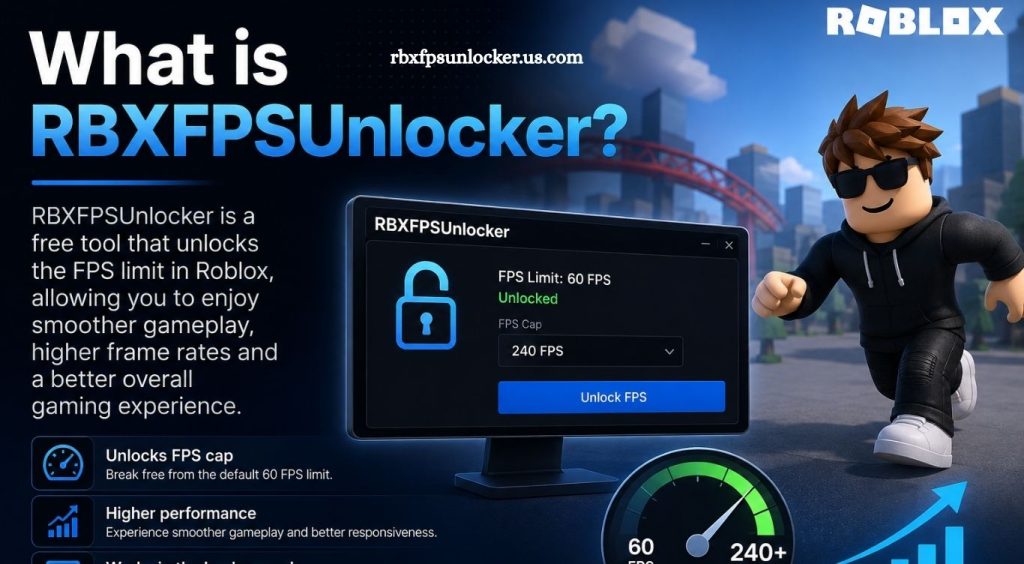
Roblox has become one of the most popular gaming platforms, offering thousands of experiences across different genres. Smooth gameplay can make a major difference, especially in competitive games where camera movement, aiming, and quick reactions matter. Players using high-refresh-rate monitors often look for ways to get a smoother visual experience beyond the standard settings available in Roblox.
Gaming communities have created different tools and utilities designed to modify or improve specific aspects of the Roblox experience. RBXFPSUnlocker is one such utility that has gained attention among PC players who want to understand Roblox frame-rate behavior and make better use of modern hardware.
What Is RBXFPSUnlocker?
RBXFPSUnlocker, commonly called Roblox FPS Unlocker or rbxfpsunlocker, is a Windows utility designed to remove Roblox’s traditional frame-rate limitation.
Roblox historically operated with a relatively low default FPS limit. An FPS unlocker allows compatible systems to run Roblox at a higher frame rate, depending on the computer’s hardware, display refresh rate, and the game experience being played.
Read More: What is RBXFPSUnlocker?
The tool does not make a computer more powerful. Instead, it changes how Roblox handles its frame-rate limit so capable hardware can potentially produce more frames per second.
How Does RBXFPSUnlocker Work?
RBXFPSUnlocker works by interacting with the Roblox client and adjusting its frame-rate limitation. Rather than forcing the game to remain at a fixed FPS value, the utility can allow Roblox to render at higher frame rates.
For example, a player with a 144Hz monitor may benefit from running Roblox above the traditional 60 FPS range. A system with a 240Hz display could potentially take advantage of an even higher frame rate when hardware performance and game conditions allow it.
Actual FPS depends on several factors, including:
- CPU performance
- GPU capability
- Roblox experience optimization
- Display refresh rate
- Background applications
- Graphics settings
- Resolution and system configuration
An FPS unlocker cannot guarantee a specific frame rate.
Why Do Roblox Players Use an FPS Unlocker?
Higher frame rates can make gameplay appear smoother. Camera movement, character movement, and animations may feel more responsive when a system can consistently produce more frames.
Players with high-refresh-rate monitors may notice the biggest difference. A 144Hz or 165Hz display can show considerably more frames than a traditional 60Hz screen, provided the computer and software can deliver them.
This can be particularly noticeable in fast-paced Roblox experiences where quick movements and camera control are important.
RBXFPSUnlocker and Roblox Performance
It is important to understand that higher FPS does not automatically mean better performance.
If a computer struggles to maintain a stable frame rate, unlocking the FPS limit may simply allow the system to work harder. CPU or GPU usage can increase, temperatures can rise, and power consumption may become higher.
Stable performance is usually more valuable than chasing the highest possible FPS. For example, consistent 120 FPS can provide a better experience than constantly fluctuating between 90 and 180 FPS.
Does RBXFPSUnlocker Improve Graphics?
No. RBXFPSUnlocker primarily focuses on the frame-rate limitation.
It does not automatically increase texture quality, resolution, shadows, lighting quality, or other graphical features. Visual quality is controlled through Roblox’s graphics settings and the capabilities of the player’s hardware.
The main purpose of an FPS unlocker is smoother frame delivery rather than improved graphical fidelity.
Is RBXFPSUnlocker Safe?
Safety depends heavily on where the utility comes from.
Players should avoid downloading unofficial modified versions from random websites, file-sharing pages, or suspicious links. Unknown versions can potentially contain unwanted software, malware, or modifications that are unrelated to FPS unlocking.
A safer approach is to research the project’s official source, review its reputation, check community feedback, and scan downloaded files with reputable security software.
Players should also remember that Roblox updates can change how third-party utilities interact with the client. A tool that worked previously may stop functioning after a Roblox update.
Can RBXFPSUnlocker Get a Roblox Account Banned?
Third-party utilities always carry some level of risk because they interact with software outside Roblox’s normal settings.
Roblox’s policies and anti-cheat systems can change over time, so players should not assume that every third-party tool is permanently safe or officially supported. Before using an FPS unlocker, players should review the current Roblox rules and the tool’s latest documentation.
Avoid utilities that advertise exploits, cheats, automated gameplay, or ways to bypass security systems. An FPS utility and a cheating tool are not necessarily the same thing, but downloading questionable software can create unnecessary risks.
RBXFPSUnlocker for High-Refresh-Rate Monitors
RBXFPSUnlocker is most relevant for players using displays above 60Hz.
A 60Hz monitor refreshes the image up to 60 times per second. A 120Hz, 144Hz, 165Hz, or 240Hz monitor can refresh more frequently. Higher FPS can help take advantage of these displays when the system is powerful enough.
However, the benefits depend on the entire setup. A high-refresh-rate monitor alone does not guarantee smoother Roblox gameplay if the computer cannot maintain a suitable frame rate.
Does Roblox Already Support Higher FPS?
Roblox has evolved considerably over the years, and its frame-rate behavior and settings can change through platform updates. Because of this, players should check the current Roblox client before installing a third-party FPS utility.
Some players may no longer need an external unlocker depending on the current version of Roblox and their desired frame-rate target.
This makes it important to verify whether an FPS unlocker is actually necessary before adding third-party software to a gaming PC.
Common RBXFPSUnlocker Problems
Players can encounter several issues when using an FPS unlocker.
The utility may fail to recognize the Roblox client after an update. It may also stop working because of compatibility changes, security software, Windows updates, or changes within Roblox itself.
Another common issue involves unstable performance. Unlocking the frame rate can expose hardware limitations, resulting in higher temperatures, increased CPU usage, stuttering, or inconsistent frame delivery.
Restarting Roblox, checking for an updated version of the utility, and reviewing its official documentation can help identify compatibility problems.
How to Get Better Roblox FPS Without an Unlocker
Players can improve Roblox performance through normal system optimization.
Lowering Roblox graphics quality can reduce the workload on the GPU. Closing unnecessary background applications can free CPU and memory resources. Updating graphics drivers can also help maintain compatibility and performance.
Windows users should additionally check their monitor settings to ensure the display is actually configured to use its maximum supported refresh rate.
Keeping the computer properly cooled is another important factor. Thermal throttling can reduce CPU or GPU performance during longer gaming sessions.
RBXFPSUnlocker vs. Roblox Settings
Roblox’s built-in graphics options are generally the first place players should look when trying to improve performance.
The graphics quality slider can balance visual quality and frame rate without requiring additional software. An external FPS utility is mainly relevant when the built-in frame-rate behavior does not match the player’s hardware or display requirements.
Conclusion
RBXFPSUnlocker can help Roblox players achieve smoother gameplay by allowing higher frame rates on compatible systems. Its benefits become more noticeable with high-refresh-rate monitors and capable hardware. Players should prioritize stable performance, download tools only from trustworthy sources, and check current Roblox compatibility and policies before use.
Pingback: Is RBXFPSUnlocker free to use? - rbxfpsunlocker