
Roblox players often look for ways to improve their gaming experience, especially when a game feels limited by frame rates or system performance. Higher and more consistent FPS can make camera movement feel smoother, improve responsiveness, and create a more comfortable experience during fast-paced gameplay. This has led to growing interest in lightweight utilities designed specifically for Roblox users.
RBXFPSUnlocker is one of the tools frequently discussed among players who want greater control over Roblox frame-rate settings. Understanding what the utility does, how it works, where it comes from, and what users should consider before installing it can help players make informed decisions about using third-party software alongside Roblox.
What Is RBXFPSUnlocker?
RBXFPSUnlocker is a third-party utility associated with Roblox that is designed to remove or modify the platform’s traditional FPS limitations. Roblox has historically operated with a frame-rate cap, while modern gaming PCs and monitors can support significantly higher refresh rates.
Read More: What is RBXFPSUnlocker?
An FPS unlocker attempts to allow Roblox to render frames beyond its standard limit. Depending on the computer, monitor, Roblox experience, and configuration, this may result in smoother visual motion and improved responsiveness.
The tool does not automatically upgrade a computer’s hardware. Instead, it gives compatible systems an opportunity to use frame rates that may otherwise remain restricted.
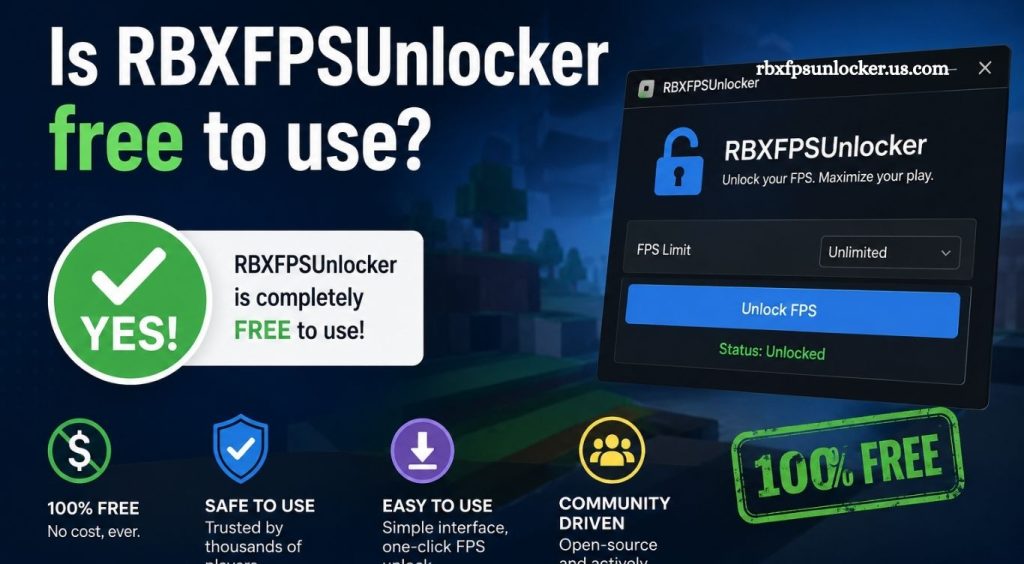
Does RBXFPSUnlocker Require Payment?
RBXFPSUnlocker has generally been distributed as a free utility rather than a paid Roblox feature. Users should still pay attention to the specific version they download because third-party websites can package software differently or advertise unrelated paid services.
A legitimate free release should not require users to purchase a subscription simply to access the core FPS-unlocking functionality. Unexpected payment requests, suspicious installers, or websites demanding unnecessary personal information should be treated carefully.
The safest approach is to identify the original project or trusted distribution source before downloading any executable file.
Why Do Players Use an FPS Unlocker?
Players may use an FPS unlocker because higher frame rates can provide a smoother gaming experience. The difference can become more noticeable on monitors with refresh rates above 60Hz.
For example, a capable computer paired with a 120Hz, 144Hz, 165Hz, or higher-refresh-rate monitor may benefit from frame rates that better match the display.
Higher FPS can potentially provide smoother camera movement and reduced visual stuttering. However, the actual improvement depends heavily on hardware performance and the Roblox experience being played.
Is RBXFPSUnlocker Safe?
Safety is one of the most important considerations when using any third-party Roblox utility. An FPS unlocker is not automatically safe simply because it is free.
Users should verify the source, inspect the download, avoid modified versions, and keep security software active. Random websites offering an “updated” or “premium” version can potentially bundle unwanted programs with the installer.
A trustworthy download should come from a recognizable project source or a well-established software distribution channel. Players should also avoid files that request unnecessary administrator privileges or disable antivirus protection without a clear technical reason.
Can RBXFPSUnlocker Improve Roblox Performance?
An FPS unlocker can remove a frame-rate restriction, but it cannot create additional processing power. If a computer already struggles to render Roblox smoothly, increasing the FPS limit may not produce a major improvement.
Performance depends on several factors, including the processor, graphics hardware, available memory, background applications, Roblox settings, and the complexity of the experience.
A stronger computer may have enough performance headroom to take advantage of higher frame rates. A lower-end system may remain limited by its hardware even after an FPS cap is removed.
Does Higher FPS Always Mean Better Gameplay?
Higher FPS can improve smoothness, but unlimited FPS is not always necessary. The ideal frame rate depends on the monitor and the performance capabilities of the computer.
For example, a 60Hz display cannot visually present every frame produced by a computer running at extremely high FPS. A higher-refresh-rate display can make higher frame rates more noticeable.
Players should also consider frame-time consistency. Stable performance is often more enjoyable than a very high FPS number accompanied by frequent drops and stuttering.
Is RBXFPSUnlocker an Official Roblox Tool?
RBXFPSUnlocker is not considered a standard Roblox feature. It is a third-party utility intended to modify how Roblox handles frame-rate limitations.
This distinction matters because third-party software can change independently from Roblox. A Roblox update may affect whether an external utility works correctly, requiring a new version or configuration.
Users should therefore avoid assuming that every FPS unlocker available online is legitimate or compatible with the latest Roblox client.
Can Roblox Updates Affect FPS Unlockers?
Yes. Changes to the Roblox client can affect third-party utilities. Roblox regularly updates its platform, and modifications to the client or its technical behavior can cause older tools to stop functioning properly.
A tool that worked previously may need an update after a Roblox client change. Downloading an unofficial replacement from an unknown website can create additional security risks.
Checking the original project’s status and release information is preferable to installing a random version advertised through search results or social media.
What Should You Check Before Downloading RBXFPSUnlocker?
The download source should be the first consideration. Look for the original developer or recognized project repository rather than relying on an unfamiliar website.
The file should also be scanned with reputable security software. Users should be cautious when an installer asks for unusual permissions, attempts to disable security tools, or includes unrelated software.
File names, download pages, release information, and community feedback can also help identify suspicious copies. A free utility should never require users to bypass basic security precautions.
RBXFPSUnlocker and System Requirements
An FPS unlocker generally does not replace the need for capable hardware. The computer still needs enough CPU and GPU performance to render Roblox at the desired frame rate.
Players aiming for higher FPS should consider their monitor refresh rate as well. Matching game performance with display capability can create a smoother overall experience.
Closing unnecessary background applications, updating graphics drivers, selecting suitable Roblox graphics settings, and maintaining adequate system resources can also help improve performance.
Common Problems With FPS Unlockers
Users may encounter several issues when working with third-party FPS utilities. The tool may fail to recognize Roblox, stop working after an update, or produce no visible difference in performance.
Another common issue involves downloading outdated or modified versions. Since third-party utilities can be copied and redistributed, users should always verify the source before running an executable file.
Performance problems can also come from hardware limitations rather than the unlocker itself. If the system cannot render additional frames, increasing the FPS limit will not necessarily improve gameplay.
Should You Use an FPS Unlocker With Roblox?
The decision depends on your hardware, monitor, gaming preferences, and comfort level with third-party utilities. Players with high-refresh-rate monitors may have a stronger reason to explore frame-rate options than users with standard 60Hz displays.
Anyone considering an FPS unlocker should prioritize security and compatibility. Keeping Roblox, Windows, graphics drivers, and security software updated can reduce avoidable problems.
It is also important to understand that removing an FPS limitation does not guarantee better performance. The computer must have enough resources to produce the additional frames.
Conclusion
RBXFPSUnlocker has attracted attention from Roblox players interested in higher frame rates and smoother gameplay. Its appeal comes from the possibility of allowing compatible systems to operate beyond traditional FPS limitations without requiring hardware upgrades.
Pingback: How does RBXFPSUnlocker work? - rbxfpsunlocker