
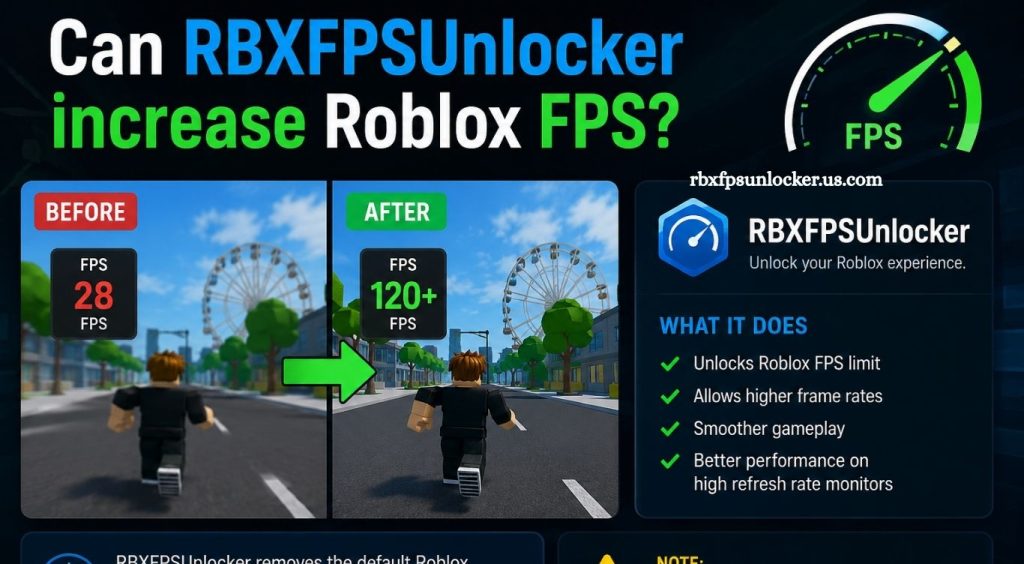
Roblox performance can vary significantly depending on hardware, graphics settings, game optimization, and system configuration. Players using older PCs or laptops often experience low frame rates, stuttering, or inconsistent gameplay, especially in demanding Roblox experiences. A smoother frame rate can make camera movement, combat, racing, and other fast-paced gameplay feel more responsive.
RBXFPSUnlocker has become popular among Roblox players looking for ways to improve their gaming experience. The tool is commonly associated with changing Roblox’s frame-rate behavior and giving players greater control over FPS limits. Understanding how it works, what affects FPS, and its limitations can help players decide whether it is useful for their setup.
What Is RBXFPSUnlocker?
RBXFPSUnlocker is a third-party utility designed around Roblox’s frame-rate limitations. Traditionally, Roblox has used an FPS cap that can prevent the game from taking advantage of monitors and hardware capable of displaying higher frame rates.
Read More: How does RBXFPSUnlocker work?
The purpose of an FPS unlocker is to remove or increase that limitation. This allows Roblox to render frames at a rate above the traditional cap when the computer has enough processing and graphics capability.
The tool itself does not magically upgrade a computer. Its primary function is to change the frame-rate limitation rather than improve the underlying hardware.
How Does RBXFPSUnlocker Affect Roblox FPS?
RBXFPSUnlocker can allow Roblox to run at a higher frame rate when the system is capable of producing additional frames. For example, a computer that can comfortably render 120 FPS may remain limited by Roblox’s default frame-rate behavior without an appropriate configuration.
Once the limitation is removed, Roblox may be able to reach higher frame rates. Actual performance depends on several factors, including the CPU, GPU, RAM, display refresh rate, Roblox experience, resolution, background applications, and graphics settings.
This means an FPS unlocker can increase the available FPS ceiling, but it cannot guarantee higher FPS on every computer.
Does RBXFPSUnlocker Really Increase FPS?
The answer depends heavily on the hardware and existing FPS limitation.
If Roblox is being restricted by an FPS cap while the computer has enough performance headroom, an FPS unlocker can result in a noticeably higher frame rate. A capable gaming PC may move from a capped frame rate to 120 FPS, 144 FPS, 165 FPS, or higher.
However, players with weak hardware may see little improvement. If the computer already struggles to render Roblox at 60 FPS, removing the cap will not suddenly make the system produce 120 FPS.
The important distinction is between an FPS cap and a hardware performance limit.
What Determines Roblox FPS?
Several components influence Roblox performance.
CPU Performance
The processor plays an important role in Roblox, particularly in experiences with large maps, many players, complex scripts, and extensive game logic. A CPU bottleneck can prevent FPS from increasing even after an FPS limit is removed.
GPU Performance
The graphics processor handles rendering tasks such as textures, lighting, shadows, effects, and other visual elements. Higher graphics settings can place additional pressure on the GPU.
RAM
Insufficient RAM can contribute to system slowdowns, especially when Roblox is running alongside browsers, recording software, communication applications, or other programs.
Graphics Settings
Roblox graphics quality has a direct effect on rendering performance. Lowering graphics quality can improve FPS on systems struggling with demanding scenes.
Monitor Refresh Rate
A higher FPS count becomes more useful when paired with a high-refresh-rate monitor. A 144 Hz display, for example, can visually benefit from frame rates above 60 FPS.
Can RBXFPSUnlocker Improve Smoothness?
Higher FPS can make gameplay feel smoother, particularly when the monitor supports a higher refresh rate.
For example, moving from 60 FPS to 120 FPS can provide more frequent frame updates. Camera movement may feel more fluid, while mouse input can feel more responsive.
However, higher FPS does not automatically eliminate every form of stuttering. Network latency, server performance, CPU spikes, asset loading, thermal throttling, and poorly optimized Roblox experiences can still cause gameplay problems.
Players should therefore avoid treating an FPS unlocker as a universal solution for every performance issue.
RBXFPSUnlocker and Input Responsiveness
Higher frame rates can also contribute to lower perceived input latency. With more frames being rendered each second, visual feedback can appear more frequently.
This can be particularly noticeable in competitive or fast-paced Roblox experiences. Mouse movements, camera controls, and rapid actions may feel more responsive at higher frame rates.
The improvement depends on the complete system, including the display refresh rate, input devices, game engine behavior, and hardware performance.
Why Higher FPS Does Not Always Mean Better Performance
Running Roblox at an extremely high FPS level is not always necessary.
If a monitor operates at 60 Hz, producing significantly more than 60 FPS may provide limited visual benefit. A higher frame rate can still influence latency, but the difference may not justify additional hardware load or power consumption for every player.
Similarly, forcing an unusually high FPS target on a low-end system can increase CPU or GPU usage without delivering stable gameplay.
A stable frame rate is often more valuable than an extremely high but inconsistent FPS number.
Is RBXFPSUnlocker Safe?
Players should be careful when using third-party Roblox utilities. The biggest risk often comes from downloading modified software from unofficial websites, unknown file hosts, or suspicious links.
Before installing any FPS-related utility, players should verify its source, check whether the project is maintained, scan downloaded files, and avoid programs requesting unnecessary permissions.
Roblox also changes its software environment over time, meaning older FPS unlockers may become outdated or incompatible. Players should always check current Roblox policies and the current status of any third-party tool before using it.
Does RBXFPSUnlocker Work on Every PC?
RBXFPSUnlocker cannot overcome hardware limitations.
A powerful desktop with a high-refresh-rate monitor is more likely to benefit from an increased FPS limit than an older laptop with integrated graphics. The actual result depends on how much performance the system has available beyond Roblox’s existing frame-rate restriction.
For accurate testing, players should monitor FPS before and after changing the frame-rate limit while keeping the Roblox experience and graphics settings consistent.
How to Get Higher Roblox FPS Without an FPS Unlocker
Players can improve Roblox performance through basic optimization techniques. Reducing Roblox graphics quality can decrease GPU workload. Closing unnecessary background applications can free CPU and RAM resources. Updating graphics drivers may also resolve certain performance problems.
Windows power settings can affect laptop performance, particularly when the device operates on battery power. Keeping the system properly cooled is equally important because thermal throttling can reduce CPU and GPU performance.
Using a wired or stable network connection may improve online gameplay consistency, although network improvements do not directly increase FPS.
RBXFPSUnlocker vs Hardware Upgrades
An FPS unlocker and a hardware upgrade solve different problems. An unlocker can remove a software-based frame-rate restriction. Hardware upgrades increase the computer’s ability to render the game.
If a system already reaches its maximum hardware capability at 45 or 50 FPS, an unlocker will not create additional performance. Upgrading the CPU, GPU, or other components may provide a larger improvement in that situation.
For many Roblox players, optimizing graphics settings and eliminating background processes should come before considering hardware upgrades.
How to Check Whether an FPS Unlocker Helps
The easiest approach is to compare performance under identical conditions. Choose the same Roblox experience, use the same graphics settings, and test the same area of the map. Record the average FPS before changing the frame-rate limit, then repeat the test afterward.
Pay attention to stability rather than focusing only on the highest FPS number. A consistent 120 FPS experience can feel better than one fluctuating between 80 and 180 FPS.
Monitoring CPU and GPU usage during the test can also reveal whether the system is being limited by processor or graphics performance.
Conclusion
RBXFPSUnlocker can help Roblox players unlock higher frame rates when their PC has enough performance to support them. The tool does not increase hardware power, so actual FPS improvements depend on the CPU, GPU, graphics settings, and Roblox experience. For smoother gameplay, players should combine an appropriate FPS limit with optimized settings, updated drivers, and a well-performing system.
Pingback: Does RBXFPSUnlocker work on Windows? - rbxfpsunlocker